Team Work Page Creation and Management
Prerequisites
Target Role: Program Admin, Participant. Required Contract/Permissions: Program Administrator or Team Leader permissions. Data to Prepare in Advance: Team name, project overview, introduction videos or links, and other content information.
Operation Steps
- Select the target program from the sidebar program management, open the hackathon or work management section, and display the page template screen.
- Click the "New" button to open the block-format page editor.
- Add necessary blocks such as title, description, headings, links, and videos, then enter the content.
- Click the "Save" button to save a draft and check the display in the preview.
- Execute publication or team assignment to reflect the state to participating members or public view.
- When assigning to teams, select the template to distribute, check the target teams, and execute sending the request email.
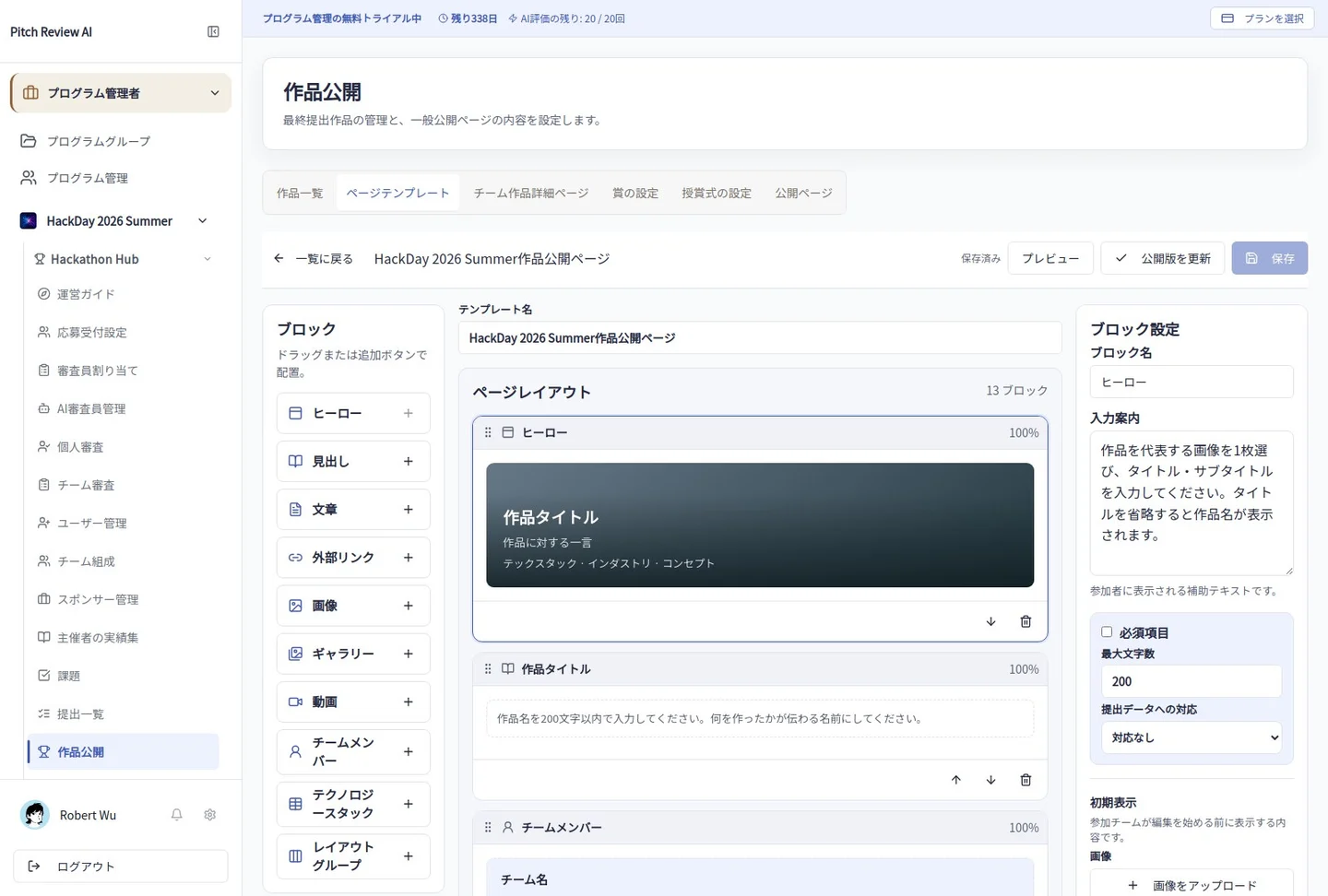
Actual Japanese-interface screenshot: work editor. Open the image to view it at full size.
Precautions
Please check settings regarding maximum/minimum member limits and team formation deadlines in advance. For unconfirmed operations or detailed specifications, please contact your administrator.