Renewal of Career Profile and Layout Editor
Prerequisites
Target role: General user
Required contract/permission: Standard account permission
Data to prepare beforehand: Profile image file, experience/materials text
Operation Steps
- Click "Settings" in the sidebar to open the user settings screen.
- Click the "Career" tab to display the career profile layout editor.
- Select and click a block to add (e.g., Experience & materials) from the left palette where it says your page is empty.
- Select the placed block and enter text in the "Block title" or "Description" input fields as needed.
- To change the block placement, select "Page" or a specific column of a layout group from the "Block placement" select box.
- Click the "Save layout" button at the top right of the screen.
- Once saving is complete, the status updates and changes are applied.
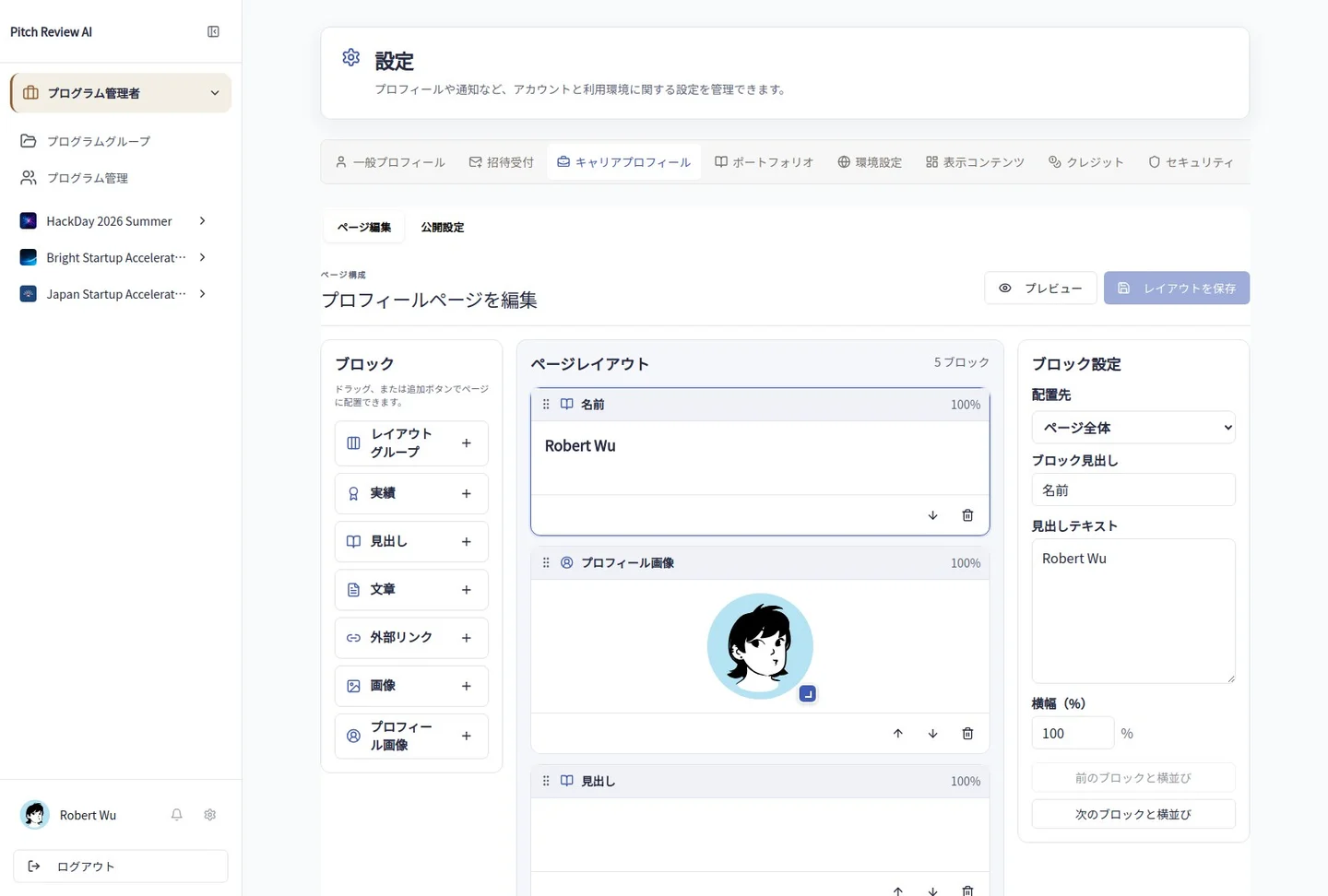
Actual Japanese-interface screenshot: career layout. Open the image to view it at full size.
Precautions
Make sure to save your changes before leaving the page to avoid losing unedited work. Follow dialog prompts when deleting blocks or media.