Edit career-page blocks separately from disclosure settings
Edit career-page blocks separately from disclosure settings
Build the career page in the shared HTML editor while managing disclosure permissions separately.
Before you begin
Use a program with the relevant feature enabled, or your own settings page. Administrative operations require program management permission; team editing requires active membership and an editable page.
Step-by-step instructions
- Open Settings → Career profile and choose Page editing(ページ編集).
- Add headings, text, external links or images from Blocks(ブロック). Select an item on the canvas to open its inspector.
- Configure its heading, body or description and width, then adjust the placement by dragging.
- Experience and material blocks refer to existing profile records; they are not a way to invent verified achievements.
- Save the layout and inspect Preview. If you navigate away with unsaved edits, choose an action in the confirmation dialog.
- Switch to Publication settings(公開設定)to review permissions for name, photo, headline, bio, experience and materials. Moving blocks does not grant disclosure permission.
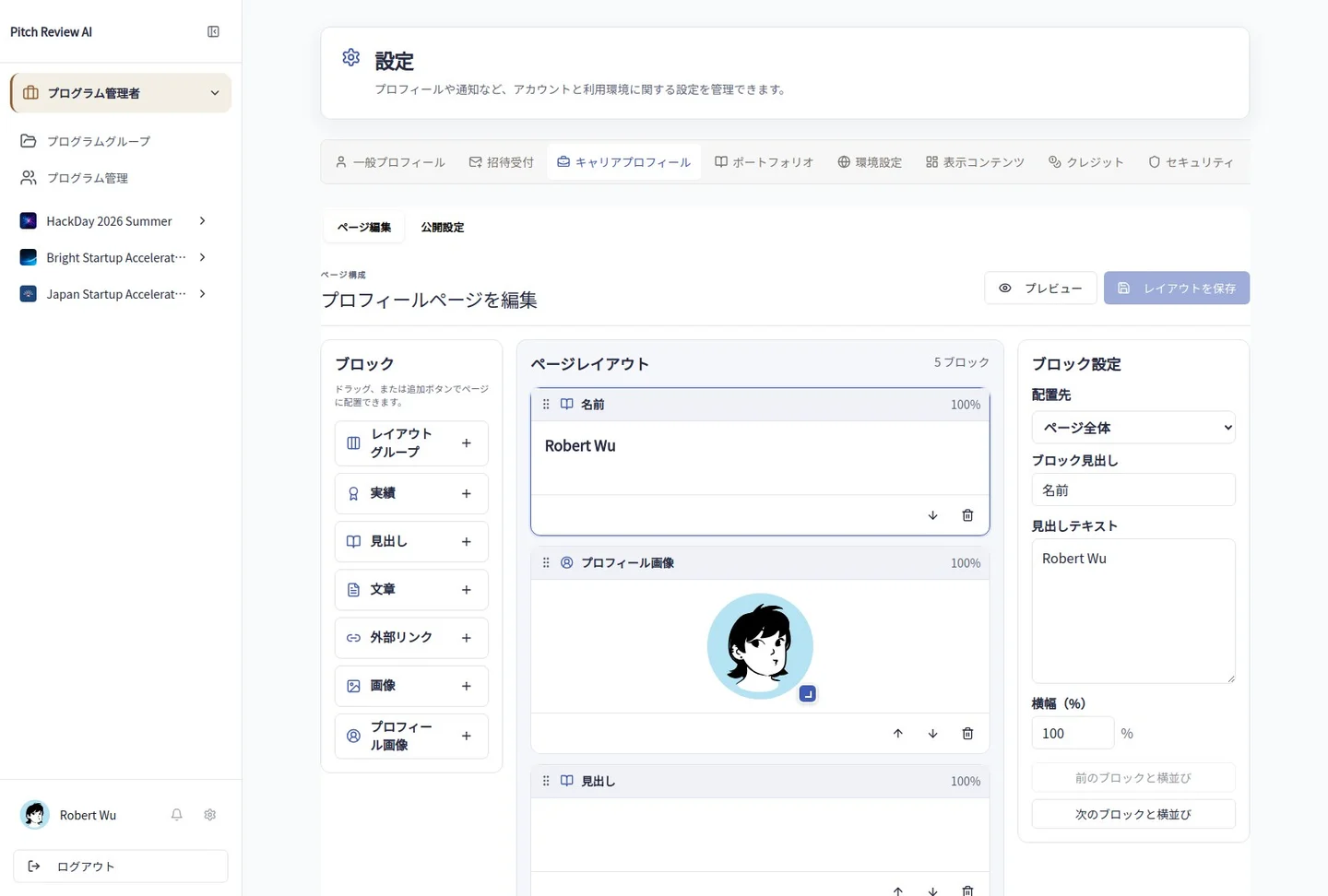
Actual Japanese-interface screenshot: career layout. Open the image to view it at full size.
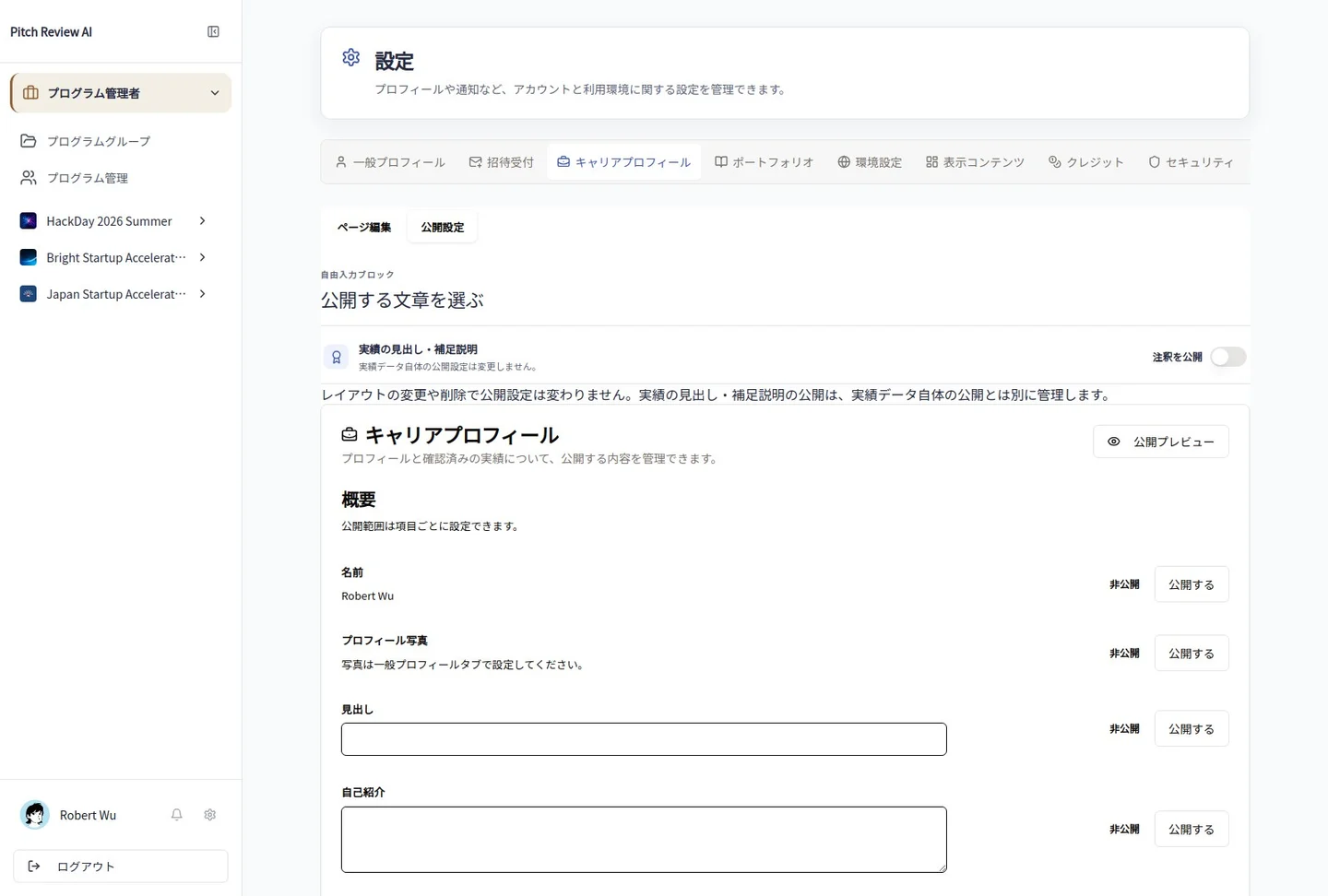
Actual Japanese-interface screenshot: career settings. Open the image to view it at full size.
Completion checks and precautions
Set the source profile photo in General profile. Removing a block from a layout and revoking permission to disclose its source information are different actions.