Embed email-verified guest applications on another site
Embed email-verified guest applications on another site
Embed an application page on approved external sites and accept email-verified applications without an account login.
Before you begin
Use a program with the relevant feature enabled, or your own settings page. Administrative operations require program management permission; team editing requires active membership and an editable page.
Step-by-step instructions
- Open the program's application settings and edit the application page to embed.
- In the external-site embedding settings, enable email-verified guest applications. Configure real email delivery first if it is unavailable.
- Register exact HTTPS origins allowed to embed the page, for example https://example.com rather than a URL containing a path.
- Enable embedding, publish and save the application page, then reopen its settings.
- Use Copy code(コードをコピー)and paste the iframe markup into an approved external site's HTML.
- Check the embedded page there. Applicants follow the verification email and submit their application without signing into the service. An existing account session does not by itself establish ownership of a guest application.
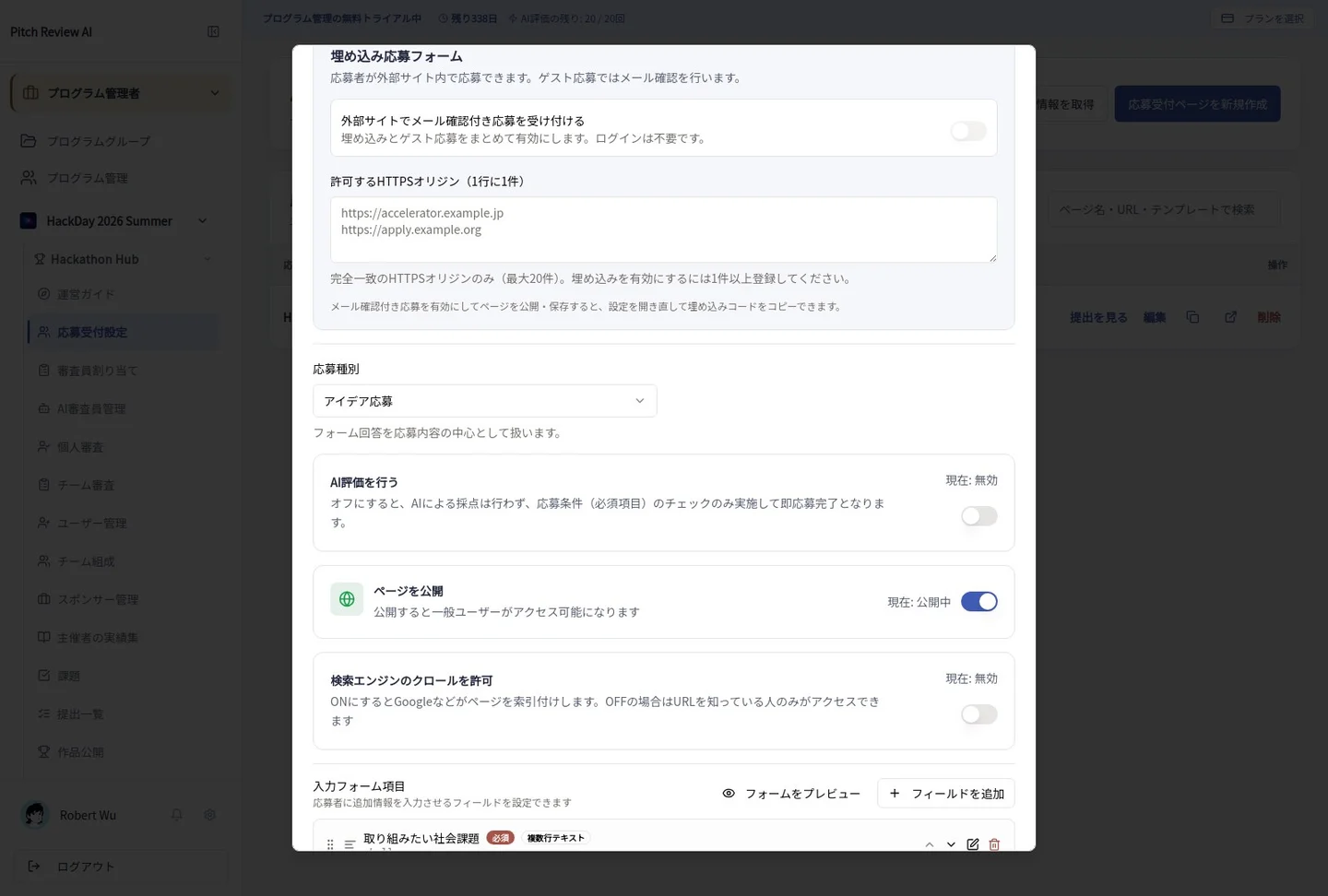
Actual Japanese-interface screenshot: guest embed. Open the image to view it at full size.
Completion checks and precautions
The embed code is unavailable until publication, delivery and allowed-origin requirements are met. Unverified email addresses and unapproved embedding sites are not authorized.