Configure hero images, titles and keywords
Configure hero images, titles and keywords
Set the opening cover image, title, subtitle and multiple keywords in the hero inspector.
Before you begin
Use a program with the relevant feature enabled, or your own settings page. Administrative operations require program management permission; team editing requires active membership and an editable page.
Step-by-step instructions
- Administrators edit the required page template; participants open their own team editor from the organizer's link.
- Select the hero block on the canvas and locate the image, title and subtitle fields in the right inspector.
- Upload a cover and enter its title and subtitle. Avoid repeating the same words inside the image itself.
- Enter one keyword and press Tab to commit it as a tag. Repeat to add multiple keywords.
- Remove unwanted tags and preview the cover, text and keywords together.
- Save the draft. Participant edits reach the public page only after the program's submission and publication requirements are completed.
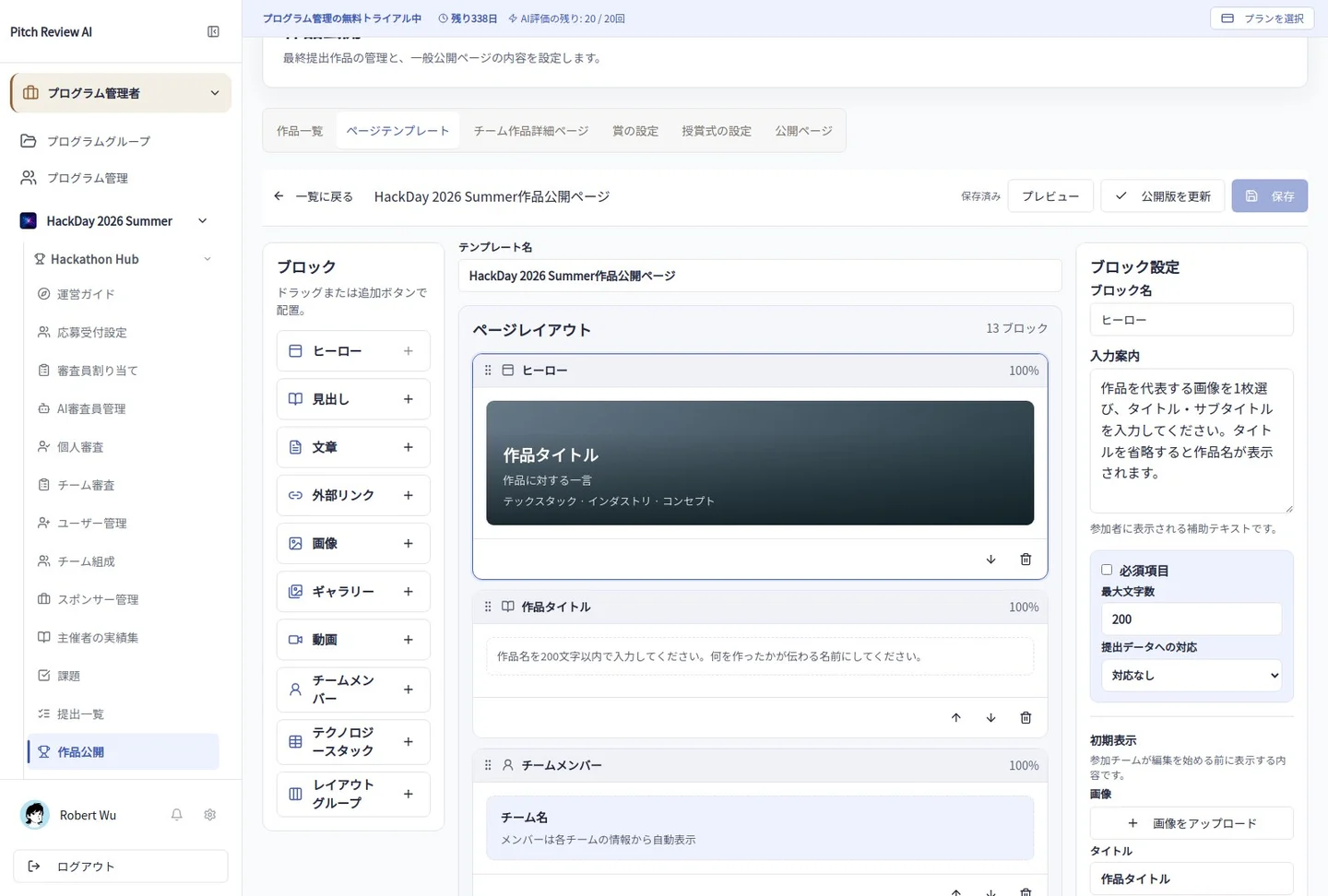
Actual Japanese-interface screenshot: hero. Open the image to view it at full size.
Completion checks and precautions
Template defaults and team-entered values are distinct. Saving alone does not update an already submitted or published page.