Technology autocomplete and stack logos
Technology autocomplete and stack logos
Choose suggested technologies such as JavaScript or React and display labeled stack logos.
Before you begin
Use a program with the relevant feature enabled, or your own settings page. Administrative operations require program management permission; team editing requires active membership and an editable page.
Step-by-step instructions
- Open the page-template editor or your own team work-page editor.
- Add Technology stack(テクノロジースタック)from the left palette, or select the existing block.
- Type a technology used by the project, for example JavaScript or React, in the inspector.
- Select the matching autocomplete suggestion and verify its exact name.
- Repeat for additional technologies, remove unwanted entries and inspect the names and logos in Preview.
- Save and, for team work, complete the required submission step. List only technologies actually used by the project.
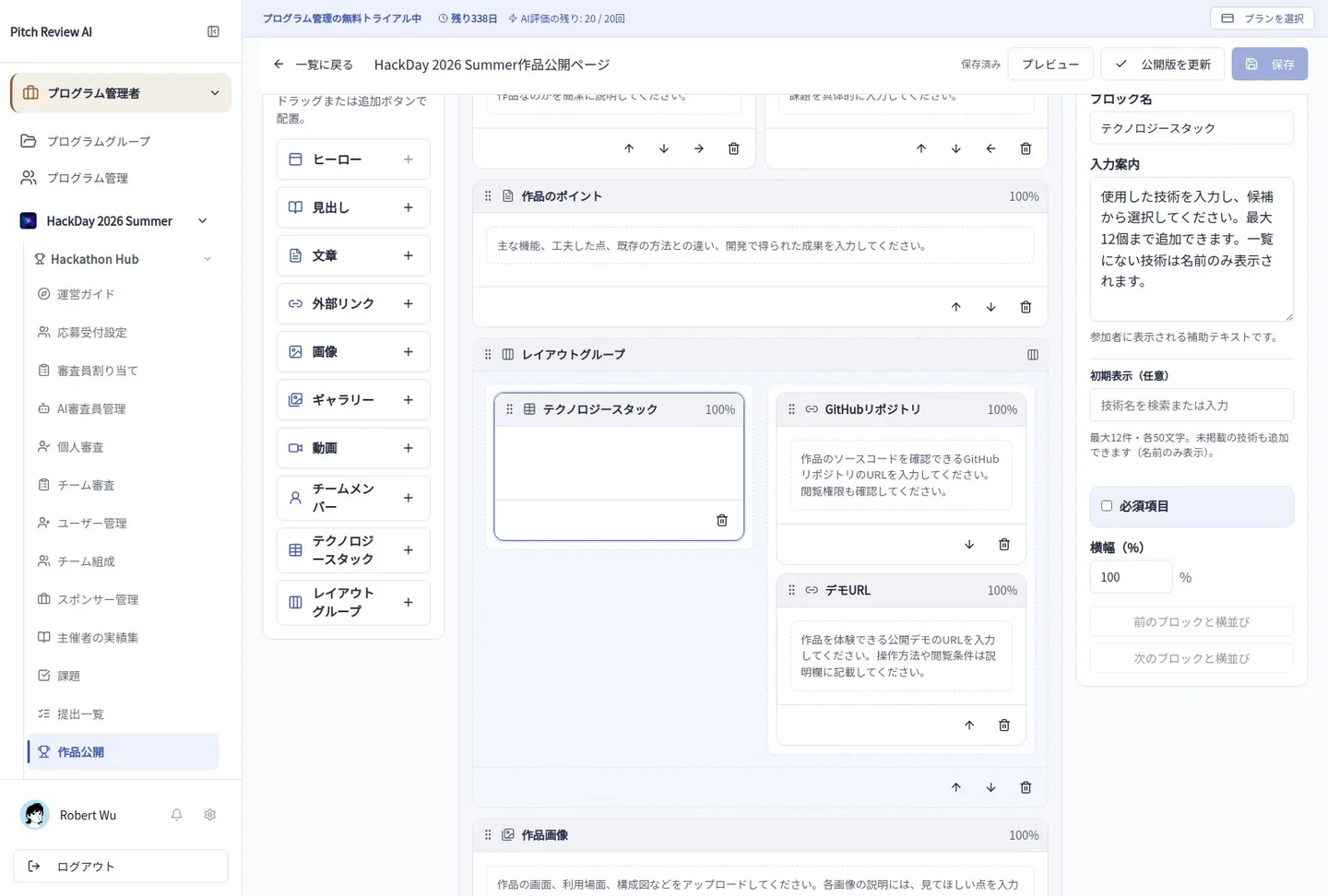
Actual Japanese-interface screenshot: technology stack. Open the image to view it at full size.
Completion checks and precautions
Recognized technologies and custom names are different. Do not assign an unrelated vendor logo to an unrecognized term.