Upload images, galleries and videos
Upload images, galleries and videos
Upload local images and videos, choose gallery columns, or provide a YouTube video link.
Before you begin
Use a program with the relevant feature enabled, or your own settings page. Administrative operations require program management permission; team editing requires active membership and an editable page.
Step-by-step instructions
- Edit the work page or template and select an image, gallery or video block on the canvas.
- For an image block, use the inspector's upload control to choose a local image and verify the result.
- For a gallery, upload the required images and choose a column count. For example, two columns place images alongside each other.
- For video, either upload a local video file or enter a YouTube link. Preview the selected media.
- If a file type, size or upload error is reported, follow the displayed guidance and choose another file. Do not navigate away before uploading finishes.
- Check missing images, gallery columns and video display in Preview, then Save. Participants resubmit when required to update their submitted version.
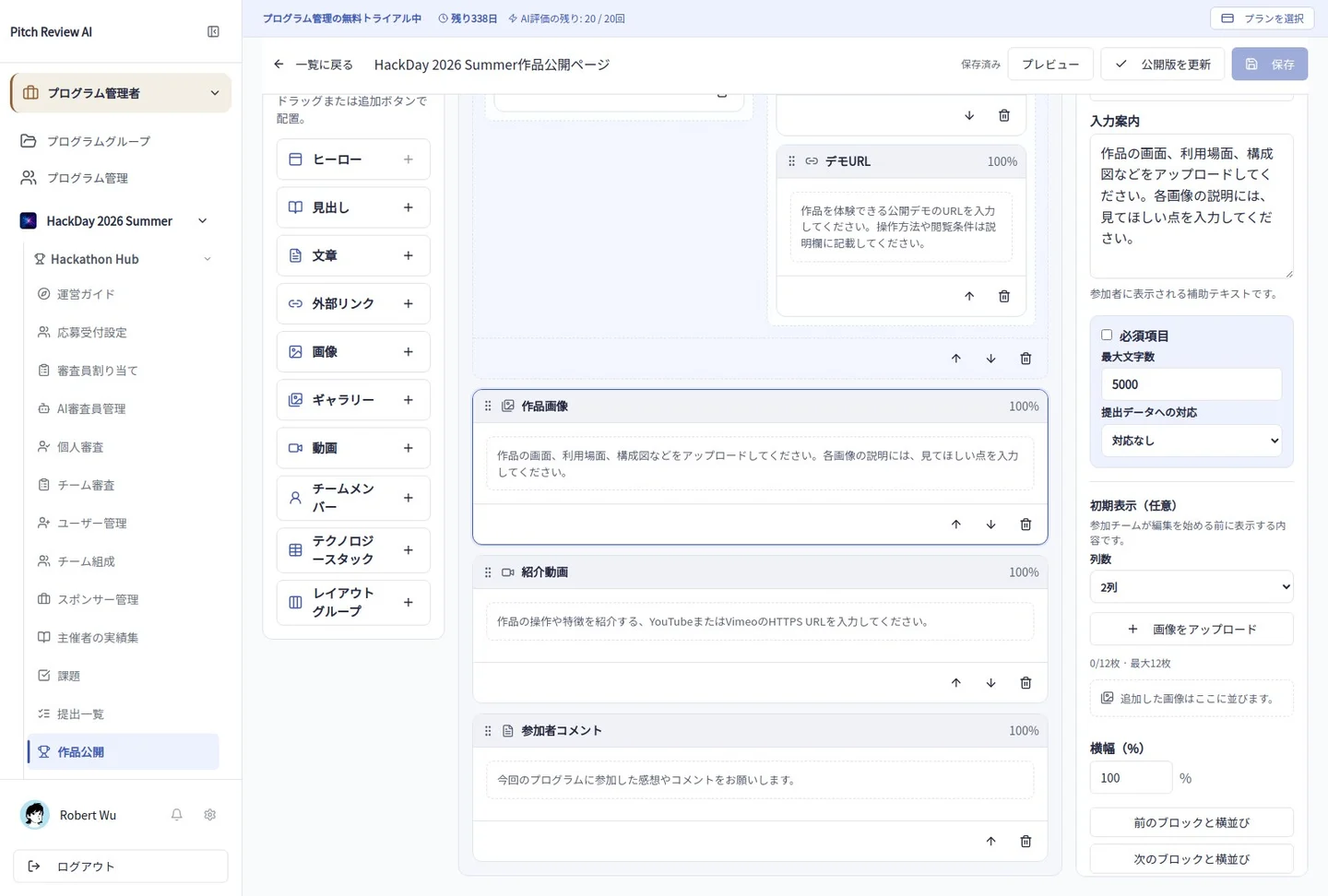
Actual Japanese-interface screenshot: media gallery. Open the image to view it at full size.
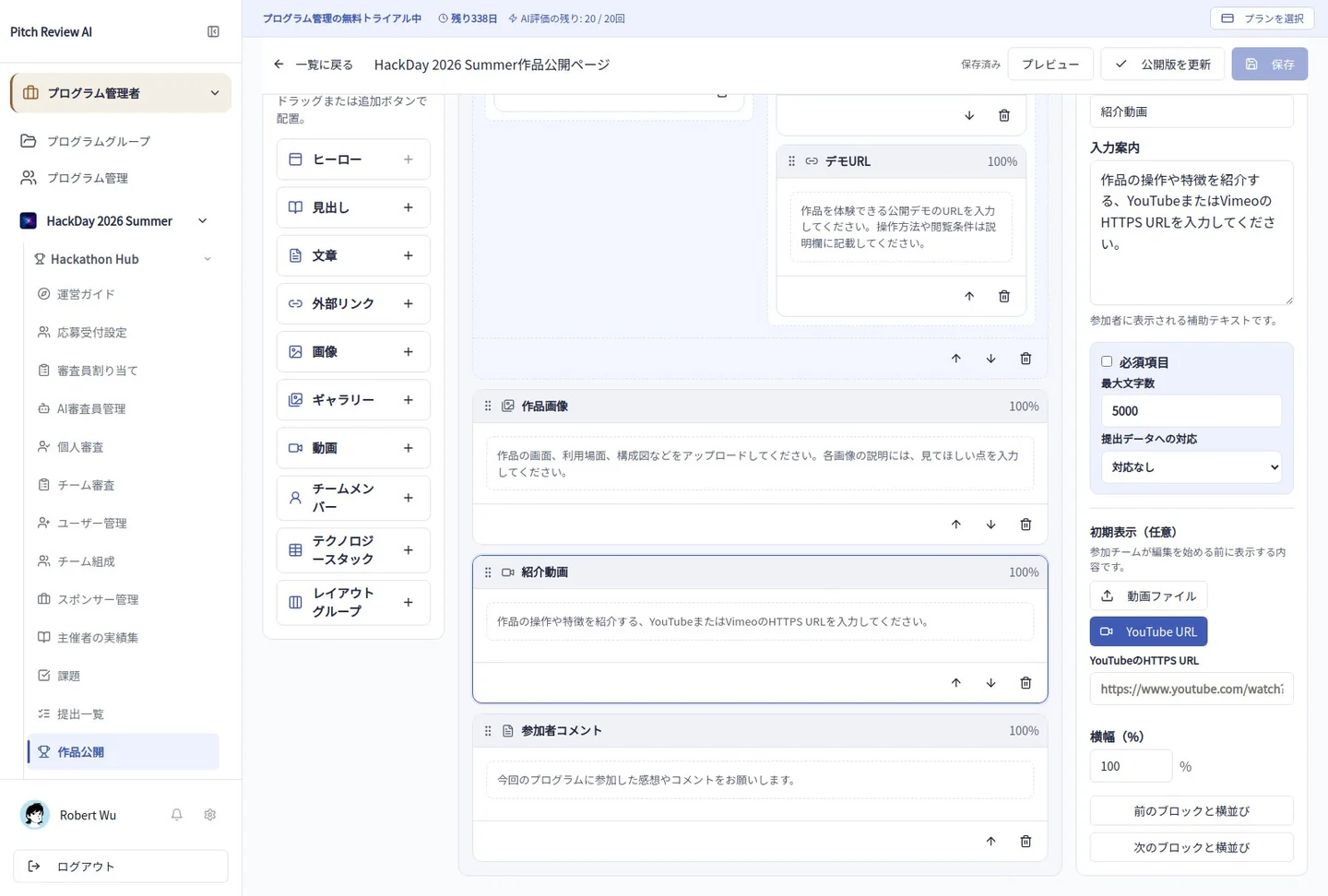
Actual Japanese-interface screenshot: media video. Open the image to view it at full size.
Completion checks and precautions
Uploading is not itself public publication. Use only media you are authorized to publish and check the page's submission and visibility state.